Best Controller for Microsoft Flight Simulator Under ৳2,500 in Bangladesh (2026)
Quick answer: 8BitDo Ultimate 2C Wired is our top flight sim gamepad near ৳2,500. Compare real product photos, Hall Effect sticks, analog triggers and wireless alternatives in Bangladesh.
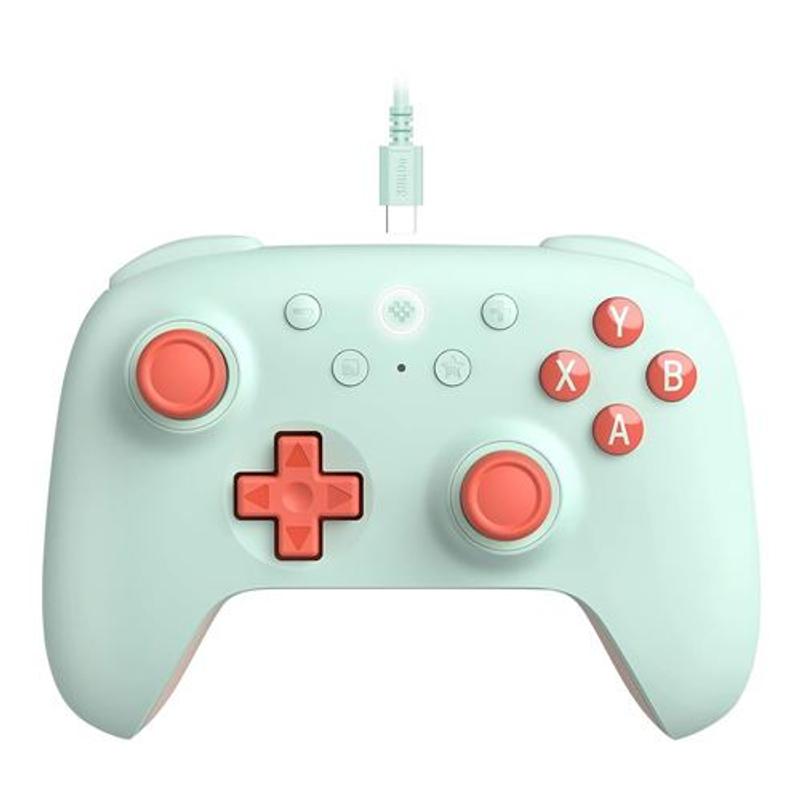
Quick answer: The 8BitDo Ultimate 2C Wired is our first choice for Microsoft Flight Simulator on a ৳2,500 budget in Bangladesh—provided you can actually order a ৳2,500 colour variant. Its Hall Effect joysticks, linear Hall Effect triggers, Windows compatibility and two remappable L4/R4 bumpers offer a useful balance for precision flying. If you want wireless instead, get the GameSir Nova Lite.
Updated 31 October 2026. Prices are indicative shop listings, not guaranteed checkout prices. This is a specifications-based buying guide, not a hands-on test. Models mentioned are PC gamepads, not dedicated flight yokes or HOTAS systems.
At a glance: the controllers side by side
8BitDo Ultimate 2C Wired |  GameSir Nova Lite | 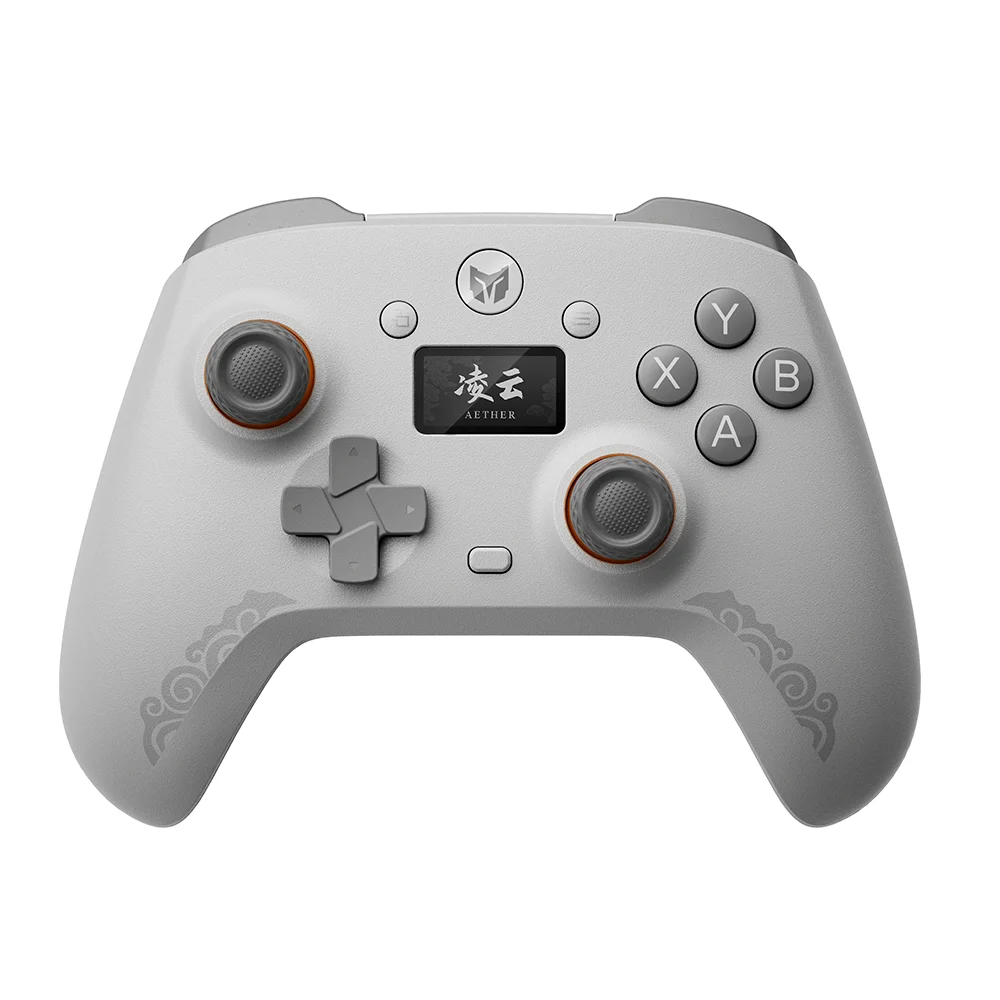 BIGBIGWON Aether C6 |
ONIKUMA C1 Tri-Mode: See the official product photographs and information.
What matters when playing Microsoft Flight Simulator?
Unlike a fast-paced shooter, Microsoft Flight Simulator rewards small, controlled inputs. Look for a steady left stick for pitch and roll, pressure-sensitive analog triggers for gradual rudder input, a comfortable grip for long flights, and reliable Windows controller recognition. A Hall Effect sensor helps reduce mechanical wear associated with traditional potentiometers, but it does not automatically guarantee perfect centering, calibration, or sensitivity. The game’s sensitivity and dead-zone settings matter, too.
Our pick: 8BitDo Ultimate 2C Wired — from ৳2,500
The official 8BitDo specifications confirm Xbox-style controls, Hall Effect joysticks, linear Hall Effect triggers, R4/L4 remappable bumpers, rumble, and a 1000Hz advertised polling rate. The wired USB connection also avoids needing to charge a controller during a long flight.
For flying, the appeal is its combination of fine stick input and gradual trigger travel—not the headline polling rate. The extra bumpers can duplicate controls such as a camera or trim shortcut, but they should not be assumed to appear as brand-new independent buttons in the simulator.
Where to check: Cybertronics BD lists a ৳2,500–৳2,800 price range depending on edition; Tech Diversity shows a similar starting range. Confirm the exact colour, availability, delivery and warranty before purchasing. Some other retailers list higher prices or no stock.
Alternative 1: GameSir Nova Lite — about ৳2,199–৳2,300
If you prefer sitting back without a cable, the GameSir Nova Lite is our wireless option. It offers Hall Effect sticks, analog triggers, Bluetooth, 2.4GHz dongle and USB-C connectivity, plus rumble. The triggers are analog, but do not confuse them with the 8BitDo’s specifically confirmed Hall Effect triggers. For Windows, a 2.4GHz dongle or wired mode is a sensible starting point. See the Vibe Gaming listing or the Tech Diversity listing.
Alternative 2: BIGBIGWON Aether C6 — about ৳2,299–৳2,499
The Aether C6 is an interesting option for users who enjoy adjusting controller parameters. Listings advertise a built-in display, wireless modes and adjustable settings. However, some retailer descriptions of its stick technology are inconsistent, and we have not independently tested its centering or MSFS compatibility. That uncertainty keeps it behind the 8BitDo for this particular task. Check the Techland product listing and validate the exact revision before buying.
Alternative 3: ONIKUMA C1 Tri-Mode — about ৳1,999–৳2,100
The ONIKUMA C1 Tri-Mode is a lower-cost wireless choice. Local shops advertise Hall Effect sticks and triggers, vibration, and Bluetooth/2.4GHz/USB-C connectivity. Be careful to choose the Tri-Mode model, not the differently equipped Dual-Mode variant. Verify that the triggers report continuous analog values in Windows rather than only on/off presses. See Skyland and ONIKUMA.
Quick comparison for flight sim players
| Controller | Stick | Triggers | Connection | Best reason to choose |
|---|---|---|---|---|
| 8BitDo Ultimate 2C Wired | Hall Effect | Linear Hall Effect | Wired | Our pick for predictable PC input |
| GameSir Nova Lite | Hall Effect | Analog | 2.4GHz / BT / USB | Wireless convenience |
| BIGBIGWON Aether C6 | Check exact revision | Advertised Hall | Tri-mode | On-device customization |
| ONIKUMA C1 Tri-Mode | Advertised Hall | Advertised Hall | Tri-mode | Lowest-price alternative |
A practical Microsoft Flight Simulator gamepad setup
Start by assigning the left stick to pitch and roll, the right stick to camera, and LT/RT to rudder. Keep throttle, brakes, flaps, landing gear, and trim on buttons or keyboard shortcuts that feel natural to you. In the simulator’s controls menu, check every axis for smooth travel and adjust dead zones to stop drift without introducing too much unresponsive movement. Use a mouse for cockpit switches and the keyboard for less frequently used aircraft systems. Controls can vary between MSFS 2020, MSFS 2024 and individual presets.
Final verdict
Buy the 8BitDo Ultimate 2C Wired if its ৳2,500 variant is available. Choose the GameSir Nova Lite if going wireless matters more than the extra bumpers. Choose ONIKUMA for a tighter budget, and the Aether C6 only after checking the exact hardware revision. All four are compromises compared with a dedicated flight stick, but a good gamepad is an accessible starting point for casual flying.
Sources: 8BitDo specifications; ONIKUMA product page; Cybertronics BD; Vibe Gaming; Skyland. Product image sources are linked in the comparison figure. Images are for identification; retailer product photographs are not owned by Makezaa. No affiliate relationship or product testing is implied.